


Is Your Thermostat the Problem? How to Check Before You Call
How to check your thermostat before calling for repair is something every Wichita homeowner should know — because a surprising number of HVAC service calls turn out to be simple thermostat issues you can diagnose yourself in minutes.
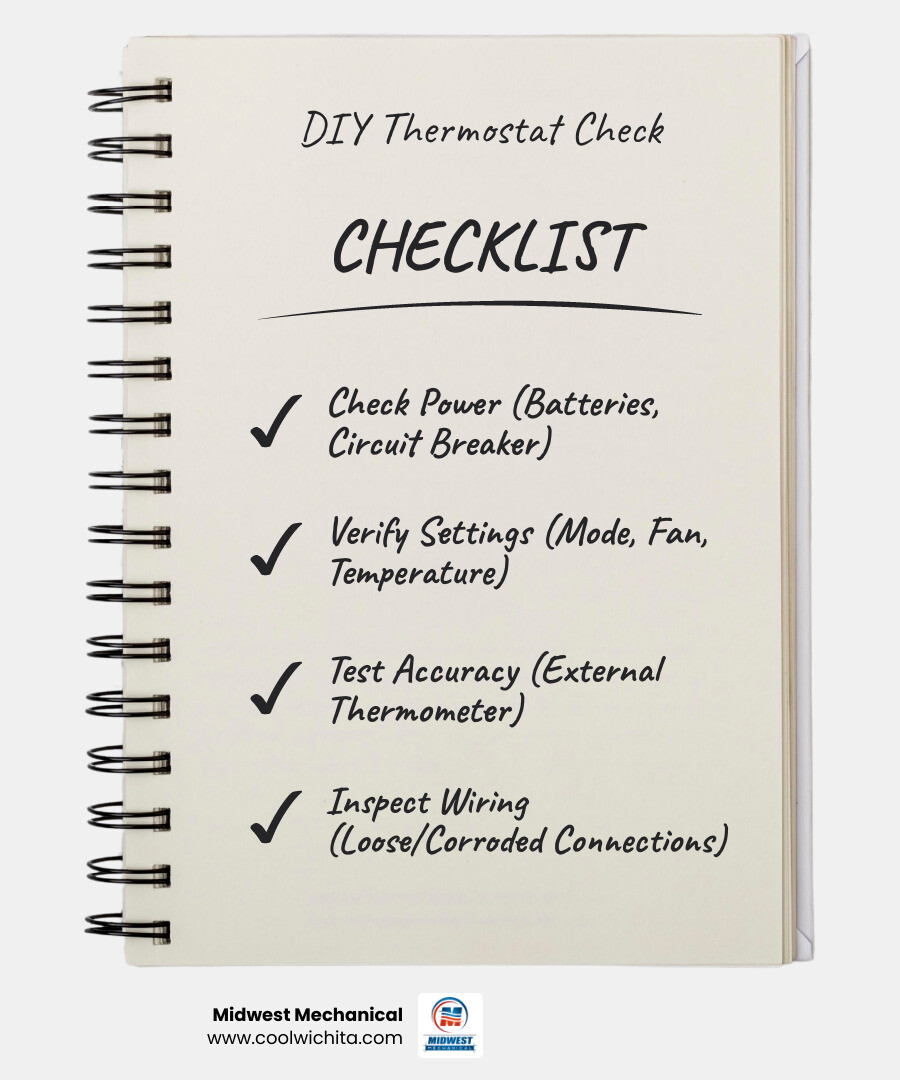
Here's a quick overview of what to check:
- Check the power - Replace batteries or look for a tripped circuit breaker
- Verify the settings - Confirm the correct mode (heat/cool), fan setting, and temperature setpoint
- Clean the thermostat - Gently remove dust from the interior with a soft brush
- Test for accuracy - Compare your thermostat's reading to a separate thermometer placed nearby
- Inspect the wiring - With power off, look for loose, corroded, or disconnected wires at the terminals
Most homeowners don't think much about their thermostat until the house is too hot or too cold. But your thermostat is the control center for your entire HVAC system — when it's off, everything downstream is off too. The good news is that many common thermostat problems have simple fixes that don't require a service call at all.
Thermostats typically last 10 to 15 years, and issues often creep up gradually — a slightly off temperature reading here, a system that runs a little longer than it should there. Over time, those small problems add up in wasted energy and reduced comfort. Knowing how to spot and address them early can save you real money and frustration.
The steps below will walk you through a complete DIY thermostat check, from the basics all the way to wiring and power supply testing. And if something's beyond a simple fix, the team at Midwest Mechanical is here to help Wichita homeowners get their systems running right again.
Common Warning Signs of a Malfunctioning Thermostat

Before we dive into the "how-to," let’s look at the "why." How do you know if your thermostat is the culprit behind your discomfort in Derby or Maize? Often, the signs are subtle, but they point directly to a breakdown in communication between your wall unit and your furnace or air conditioner.
One of the most frustrating signs is short-cycling. This is when your HVAC system turns on and off too frequently, never quite finishing a full cooling or heating cycle. While this can sometimes be a mechanical issue with the unit itself, it’s often caused by a thermostat that is miscalibrated or losing power intermittently. Short-cycling is a major drain on HVAC efficiency with thermostat replacement being a common long-term solution to prevent premature wear on your system's compressor or heat exchanger.
Other red flags include:
- An Unresponsive Display: If the screen is blank, flickering, or frozen, the system cannot receive your commands.
- Temperature Fluctuations: If one room feels like a sauna while the other is an icebox, or if the hallway temperature doesn't match the reading on the wall, the sensor may be failing.
- High Energy Bills: A faulty thermostat can cause your system to run longer than necessary. If your bills in Andover are spiking without a change in weather, your thermostat might be "stuck" in the on position.
Comparison Table: Normal Operation vs. Faulty Symptoms
| Feature | Normal Operation | Faulty Thermostat Sign |
|---|---|---|
| System Response | HVAC kicks on within seconds of adjustment. | Significant delay or no response at all. |
| Cycling | Runs for 10-15 minutes to reach temp. | Turns off after 2 minutes (Short-cycling). |
| Display | Clear, bright, and updates in real-time. | Blank, faded, or stuck on one number. |
| Accuracy | Matches the actual room temperature. | Off by more than 2-3 degrees consistently. |
| Sounds | A soft "click" when the relay engages. | Unusual buzzing, clicking, or total silence. |
How to Check Your Thermostat Before Calling for Repair: Step-by-Step
If you've noticed any of the signs above, don't panic. Follow these steps to see if you can resolve the issue yourself.
Step 1: Check the Power Supply
It sounds simple, but dead batteries are the #1 reason for thermostat "failures." Most digital thermostats require two AA or AAA alkaline batteries. Even if the display is still visible, low voltage can prevent the thermostat from sending a strong enough signal to your HVAC unit. We recommend changing them every 8 to 12 months.
If your thermostat is hardwired (using a "C-wire") and the screen is dark, you may be fixing blank thermostat displays by checking your home’s electrical panel. Look for a tripped circuit breaker labeled "HVAC" or "Furnace." Flip it all the way to "Off" and then back to "On."
Step 2: Clean the Internal Components
If you have an older mechanical thermostat (the kind with a physical dial or a sliding bar), dust is your enemy. Over time, "dust bunnies" can coat the metal coils or contact points, acting as insulation and preventing the thermostat from sensing the air temperature accurately.
- Carefully pop off the outer cover.
- Use a soft-bristled brush or a can of compressed air to gently blow away debris.
- For older mercury-switch models, ensure the unit is perfectly level on the wall, as a tilt can throw off the temperature reading.
Verifying Settings: How to Check Your Thermostat Before Calling for Repair
Sometimes the "repair" is just a setting that got bumped by accident. Before you assume the hardware is broken, double-check the basics.
Mode Selection: Ensure the system is actually set to "Heat" in the winter and "Cool" in the summer. If it’s set to "Off" or "Auto," it might not behave the way you expect during a sudden Wichita cold snap.
Fan Settings: Is your fan set to "On" or "Auto"? If it's set to "On," the fan will blow air continuously, even when the AC or furnace isn't running. This can make the air feel lukewarm and lead homeowners to think the system isn't working. Switching to "Auto" ensures the fan only runs when the system is actually heating or cooling.
Temperature Setpoints: To test if the thermostat is communicating, move the setpoint 5 degrees past the current room temperature. For example, if it's 72°F in your Park City home, set the heat to 77°F. You should hear a distinct "click" from the thermostat followed by the sound of your system starting up. Finding the right thermostat solutions in Park City for comfort often starts with simply mastering these basic settings.
Testing Accuracy: How to Check Your Thermostat Before Calling for Repair
If you feel like the house is 68°F but the thermostat insists it’s 74°F, you need an accuracy test.
- Tape a highly accurate digital thermometer to the wall about an inch away from your thermostat.
- Wait 15 to 30 minutes for the reading to stabilize.
- Compare the two.
If they are off by more than 2 degrees, your thermostat may need recalibration or replacement. You should also check for "ghost" influences. Is the thermostat in direct sunlight? Is it near a drafty window or a kitchen heat source? These placement issues can troubleshoot thermostat errors in Park City by identifying why the sensor is getting "lied to" by its environment.
Advanced Troubleshooting: Wiring and Power Supply
If the batteries are fresh and the settings are correct, but the system still won't budge, it's time to look "under the hood."
Safety First: Before touching any wires, turn off the power to your HVAC system at the circuit breaker. While thermostat wiring is low-voltage (24 volts), it’s still best to play it safe to avoid blowing a fuse on your furnace’s control board.
Inspecting Internal Connections
Remove the thermostat from its wall plate to reveal the wiring. You'll see several colored wires attached to terminals labeled with letters like R, G, Y, and W.
- R (Red): 24V Power
- W (White): Heating
- Y (Yellow): Cooling
- G (Green): Fan
Check for loose wires that might have slipped out of their terminals. Use needle-nose pliers to gently tug on each wire to ensure it’s snug. If you see green or white crusty buildup (corrosion), you can carefully clean the wire ends with an electronics contact cleaner. Ensuring these thermostat wiring solutions in Park City are secure can often solve intermittent connectivity issues.
If you are comfortable using a multimeter, you can test for power. Set your meter to AC voltage and touch the probes to the R and C terminals. You should see a reading of approximately 24 volts. If the reading is zero, the problem might not be the thermostat at all, but rather a blown transformer or a tripped safety switch in your furnace or AC unit. At this stage, choosing the right thermostat: a guide can help you decide if your current hardware is worth the hassle or if a modern upgrade is better.
When to Stop Troubleshooting and Call an Expert
We love a good DIY project, but there are times when you should put the screwdriver down and call the professionals at Midwest Mechanical. HVAC systems are complex, and forcing a fix can lead to expensive damage.
Stop and call us if:
- You smell smoke or burning: This indicates an electrical short or a failing motor.
- You see sparks: Any sparking at the thermostat or the HVAC unit is a major fire hazard.
- The circuit breaker keeps tripping: If you reset the breaker and it flips back off immediately, there is a serious electrical fault.
- The system makes loud, banging, or screeching noises: These are mechanical failures that a thermostat can't fix.
If your thermostat is more than 10 years old and continues to malfunction after you've checked the batteries and wires, it's time for thermostat replacement. Sometimes, the internal sensors or relays simply wear out. If you need a thermostat replacement, we can help you select a model that is perfectly compatible with your existing Wichita home's system.
Upgrading to Modern Technology
If your current unit is failing, this is the perfect opportunity to look into smart thermostats revolutionizing home comfort. These devices offer remote access via your smartphone, allowing you to adjust the temperature in your Rose Hill home while you're still at work in Wichita.
Of course, it’s important to weigh the options. Some homeowners ask, what are the disadvantages of a smart thermostat? Generally, they require a stable Wi-Fi connection and may have a steeper learning curve for those who prefer simple dials. However, the energy savings—often up to 10% annually on heating and cooling—usually make them a wise investment for Kansas families.
Frequently Asked Questions
How long do home thermostats typically last?
On average, a thermostat will last between 10 and 15 years. High-quality digital models can sometimes push toward 20 years with proper care, but the technology often becomes obsolete before the hardware actually breaks. If your unit is over a decade old, it's likely less accurate than modern versions.
Can a bad thermostat really increase my energy bills?
Yes, significantly. If a thermostat is miscalibrated by just 2 or 3 degrees, it can cause your system to run for hours longer than necessary each week. Furthermore, a faulty sensor might cause "short-cycling," which is the most energy-intensive way for an HVAC system to operate. According to the Department of Energy, simply turning your thermostat back 7° to 10°F for eight hours a day can save you up to 10% a year on bills.
How often should I change my thermostat batteries?
We recommend changing them once a year, or roughly every 8 to 12 months. A great habit is to change them at the same time you change your smoke detector batteries or when you perform your seasonal HVAC tune-up. Always use high-quality alkaline batteries rather than rechargeable ones, as rechargeables can sometimes provide inconsistent voltage.
Conclusion
Checking your thermostat doesn't have to be a daunting task. By following this guide, you can rule out the simple stuff—like dead batteries or a dusty sensor—and potentially save yourself the time and expense of a professional service visit.
However, if you’ve tried the steps above and your Wichita home is still feeling uncomfortable, it’s time to call in the experts. At Midwest Mechanical, we specialize in everything from simple thermostat recalibrations to full system replacements in Andover, Derby, and throughout the greater Wichita area. We pride ourselves on transparent pricing and reliable service that keeps your family comfortable all year long.
Don't spend another night shivering or sweating because of a stubborn thermostat. Schedule your professional AC inspection today and let us get your home back to the perfect temperature!
Customer Testimonials
Hear from satisfied customers who trust us for reliable HVAC and plumbing service across Wichita.





Plus, the technician, Lee was very professional, knowledgeable and informative.
We will definitely be doing business with them sometime again in the past.
I'm prompt to my appointment. Thank you Midwest Mechanical.
I'm prompt to my appointment. Thank you Midwest Mechanical.

We have partnered with GoodLeap to offer flexible payment options for your project. GoodLeap uses a soft credit check until funding and the highest score from all 3 bureaus to see if you qualify. It also takes just a few minutes to get started.




Service Areas
.svg)